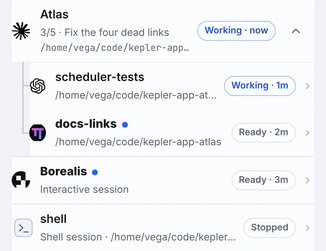
You see each agent's plan.
Its steps, done and still to do, beside its name in the list. No need to read a terminal to know where it is.
People and Assistants put Claude Code and Codex to work alongside other agent CLIs on your own computers, with controls you can check.
Uses your own subscriptions and keys on Windows desktop or through your browser and phone.
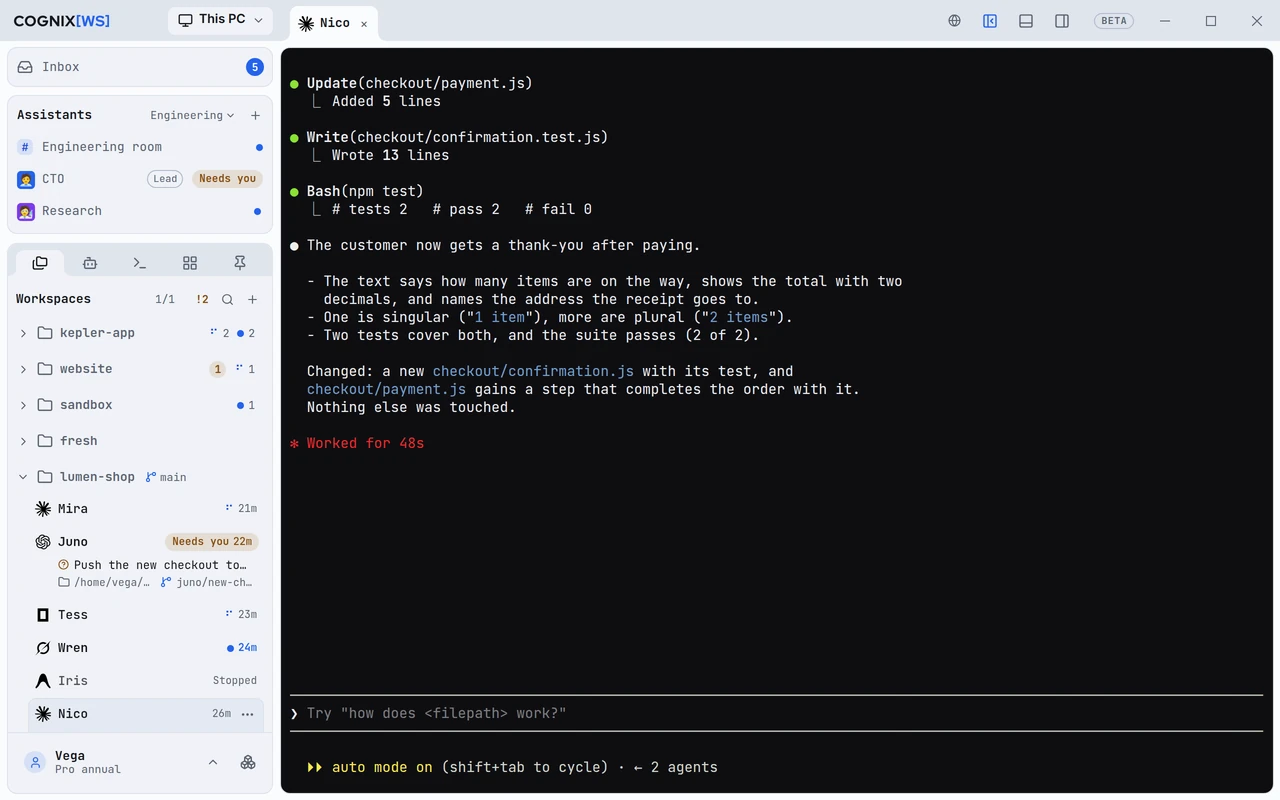
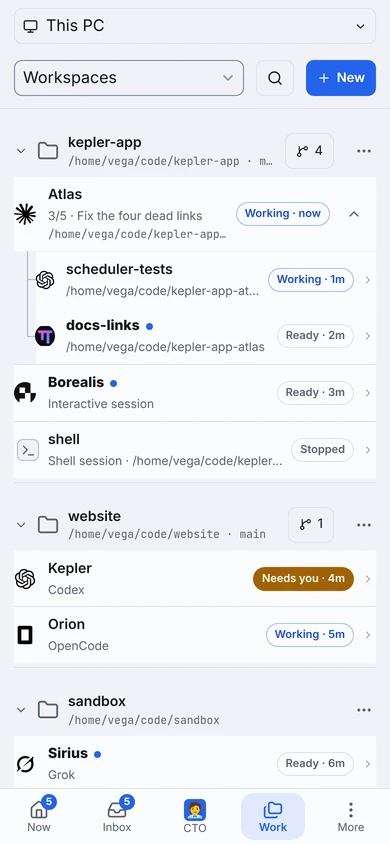
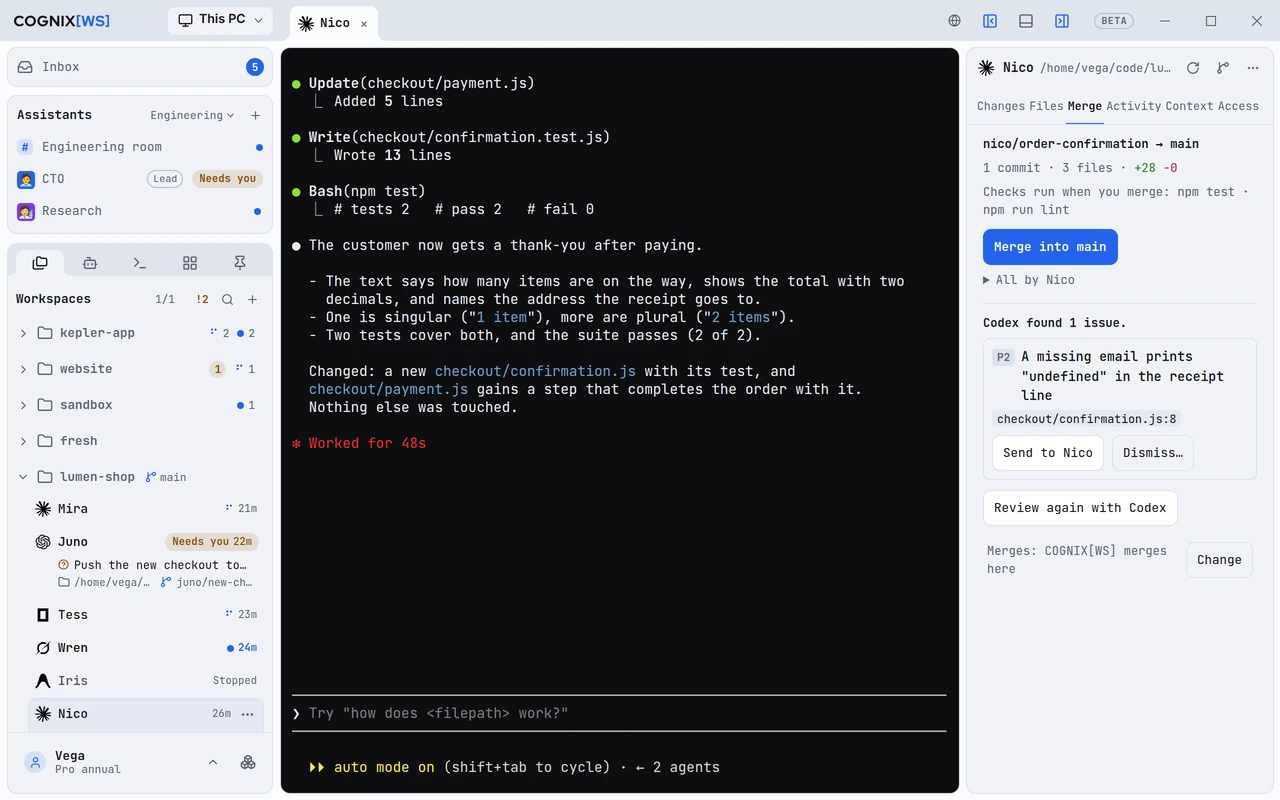
Each agent is the vendor's own CLI in its own terminal. Here Nico, a Claude Code agent, has finished a turn: it says what it did, which files it changed, and that the tests pass.
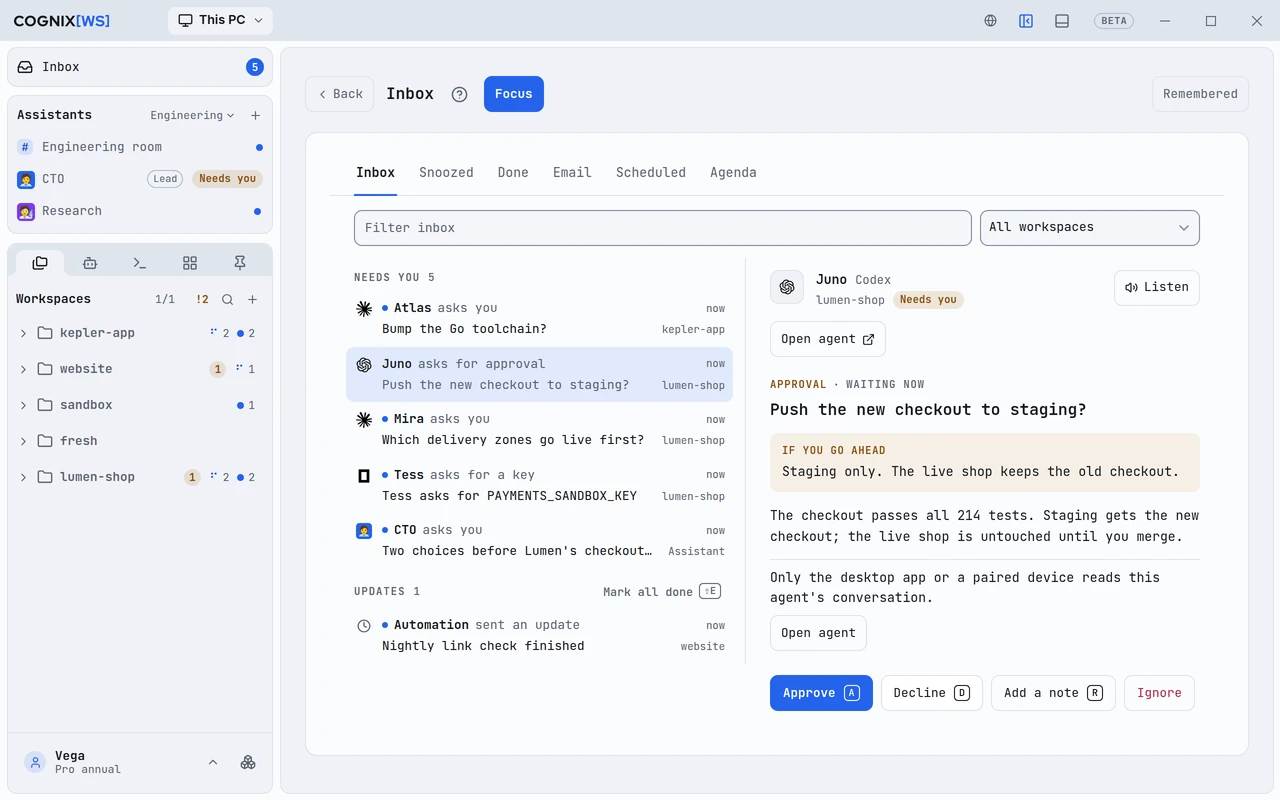
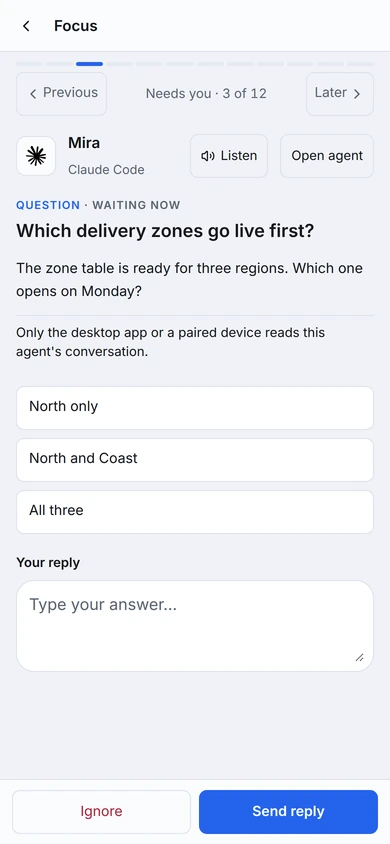
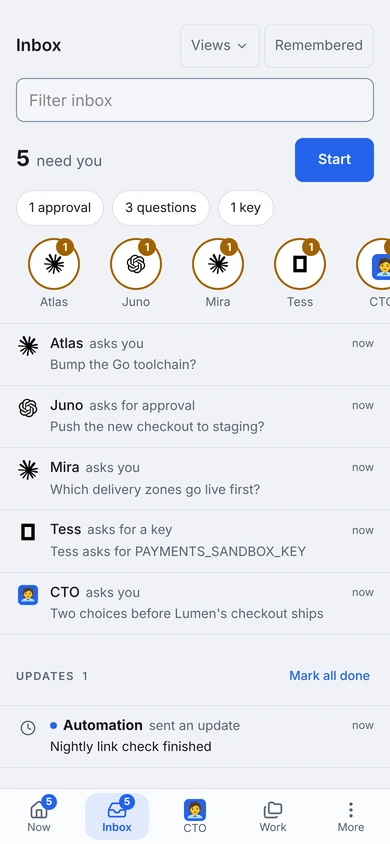
An agent that needs a decision asks. Its request waits in your Inbox, at your desk or on your phone, and says what happens if you go ahead.
Before a change merges, another agent CLI reads it in a read-only checkout. Here Codex read the branch of Nico, a Claude Code agent, and found one issue, with its file and line: send it back, or dismiss it with a reason. The merge stays yours.
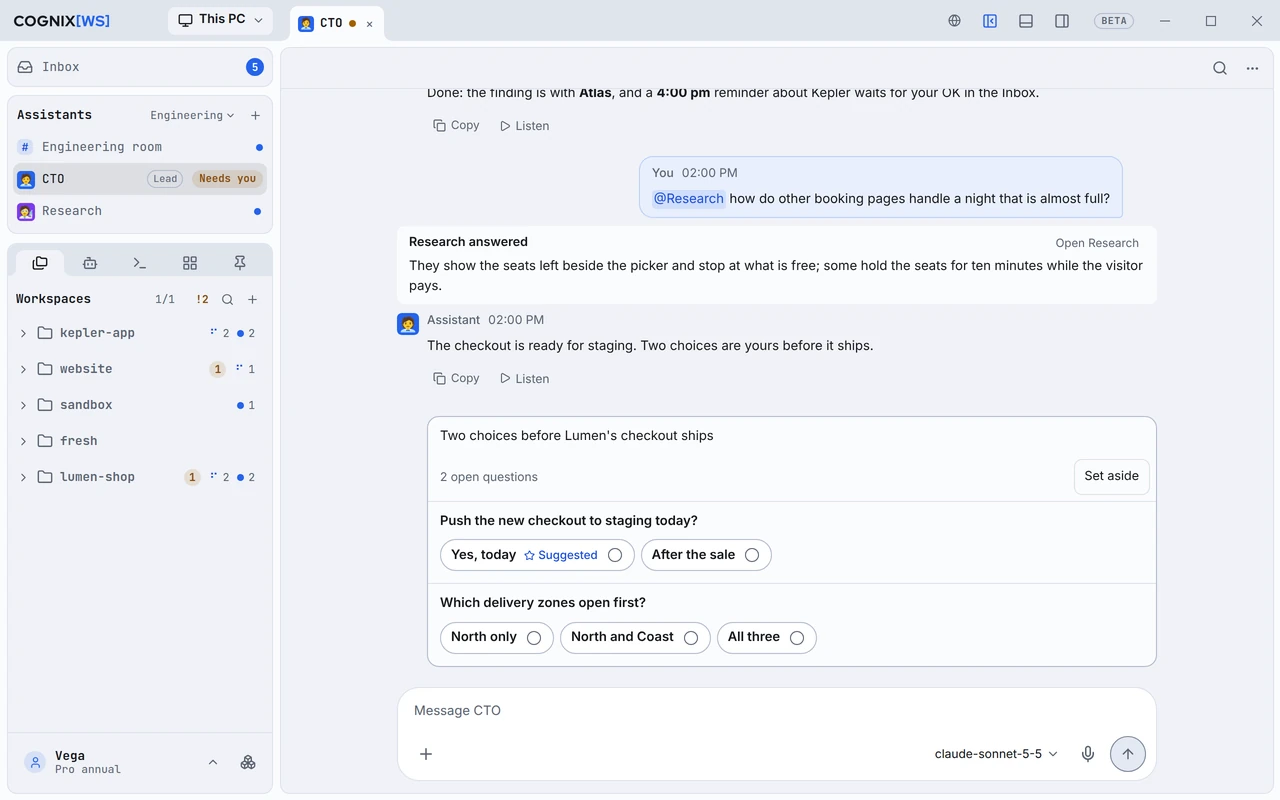
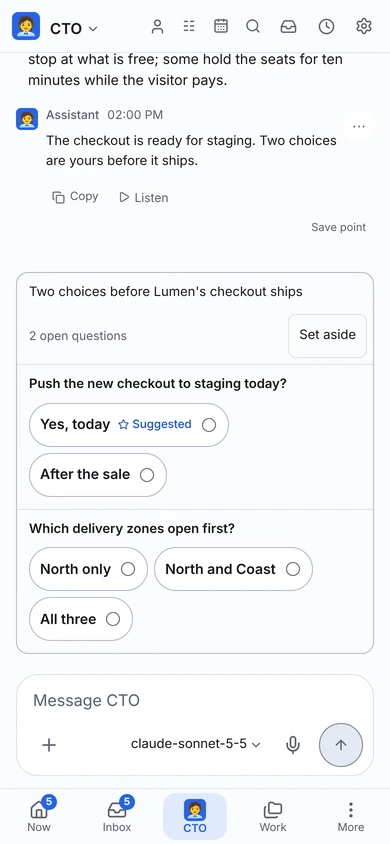
An Assistant follows every workspace: what was published, who is waiting on you, and the choices that are yours before something ships.
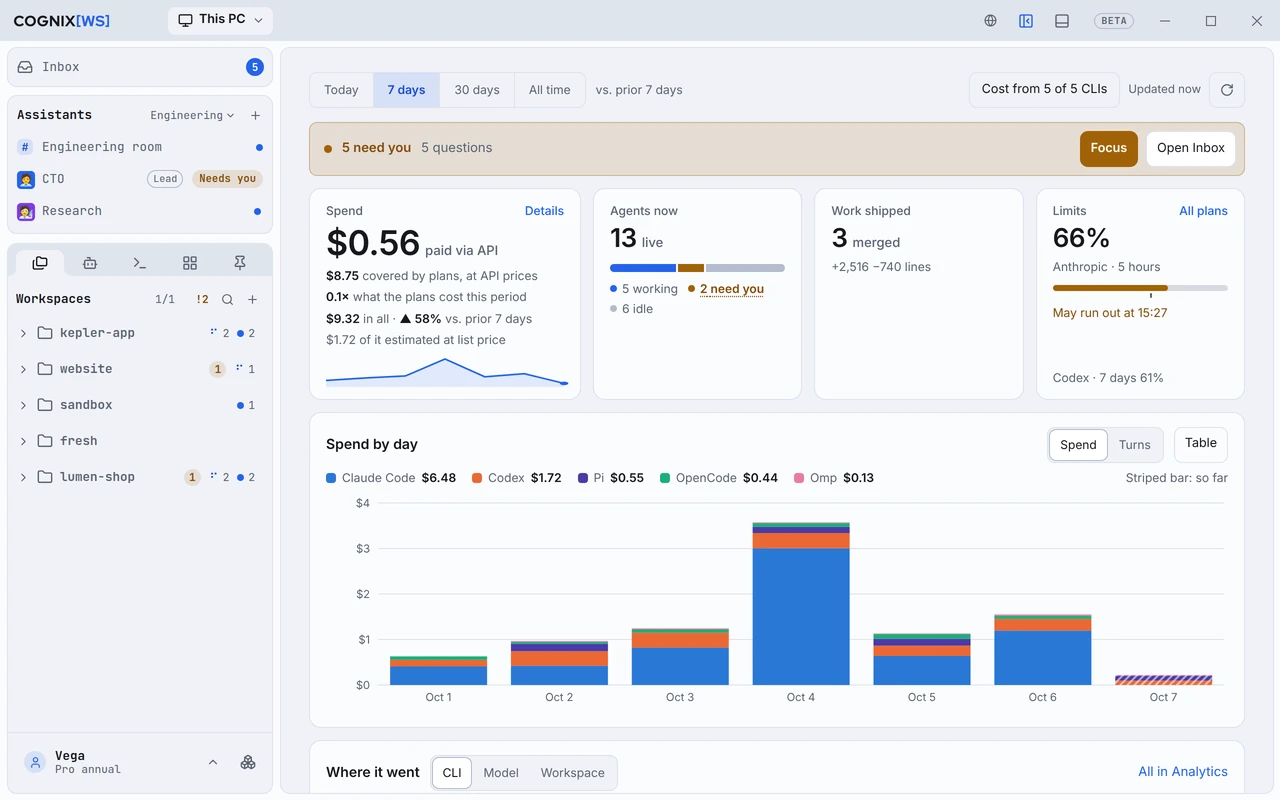
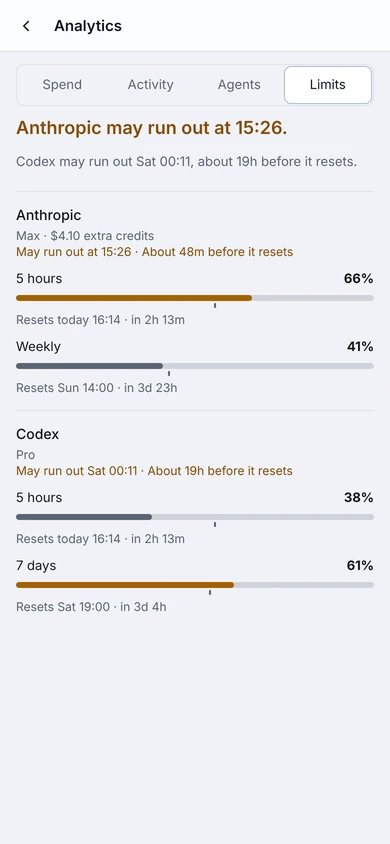
The home screen: the week's spend by agent CLI, the agents that are live, what was merged, and how close a plan's limit is.
The app itself, photographed. The people, projects and figures in it are example data.
Work runs on your company's own Windows computers and the Linux servers you link.
Each agent CLI uses your own subscription or API key. COGNIX[WS] does not resell models.
People set per-agent access and folder trust, plus approvals and review before merge from the moment of creation.
Claude Code and Codex run alongside other official agent CLIs in their own terminals on your computers, using your own subscriptions and keys.
Claude Code can go through Bedrock, Vertex, Foundry or your own gateway. Assistants and two of the CLIs can use a local model.
People set per-agent access and folder trust, keep credentials in a vault never shown to agents, and require review before merge while tracking spend.
Its steps, done and still to do, beside its name in the list. No need to read a terminal to know where it is.
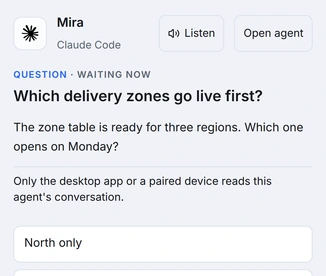
Its question waits in the Inbox, at your desk or on your phone, until someone answers.
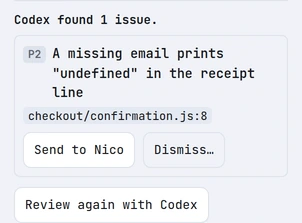
Another agent CLI reads the change in a read-only checkout. Its findings come to you: send them back, or dismiss them with a reason.
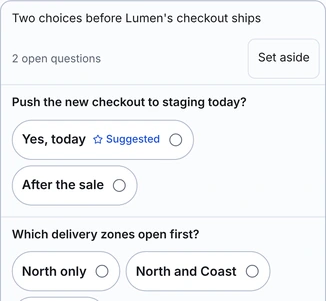
They talk, remember and coordinate the agent CLIs. What they propose waits for your OK.
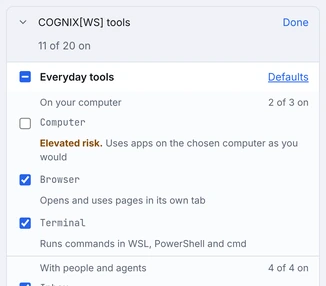
You tick what an agent gets when you create it. What is off cannot be used; a CLI's own shell follows that CLI's permissions.
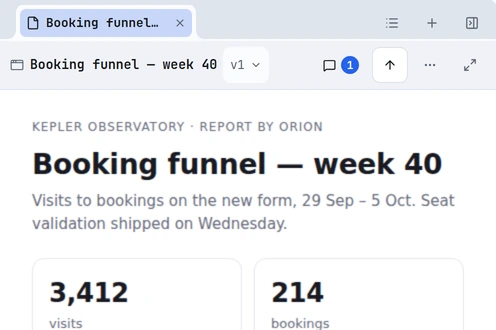
An agent publishes what it made as a page beside its terminal, with versions and comments.
Details of real captures, at their own scale. Example data.The platform, job by job
Talk to Assistants and answer agent questions from the Windows desktop app, or approve requests and check activity and spend in a browser or on your phone.
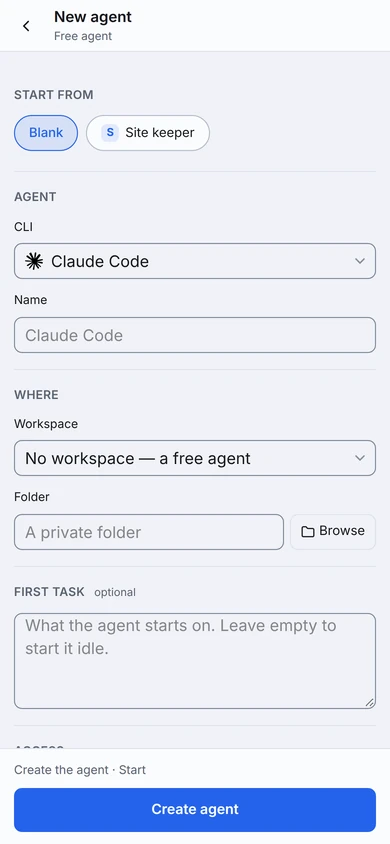
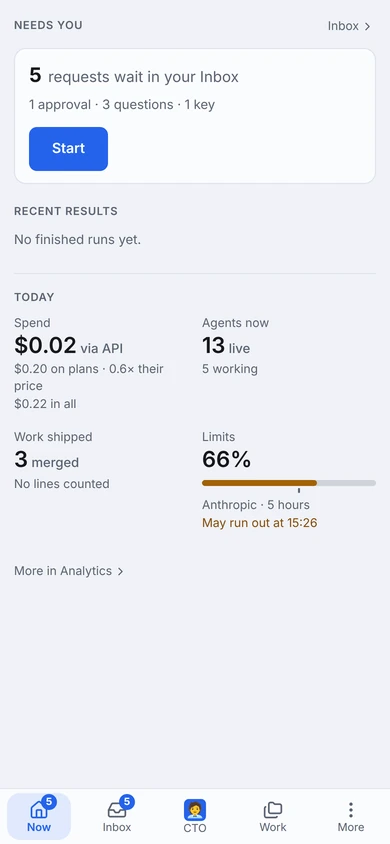
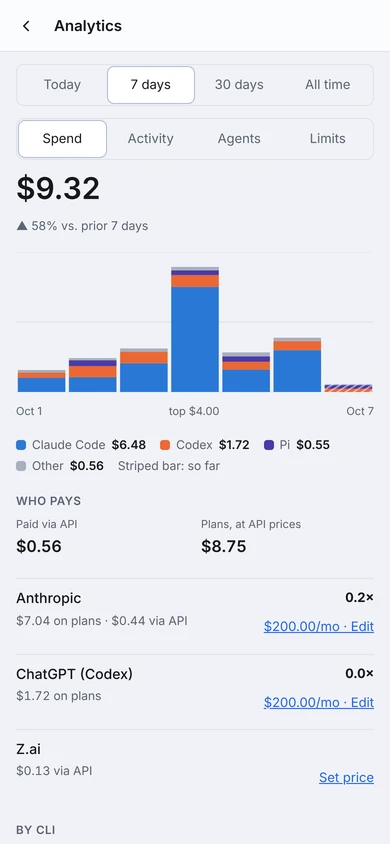
Run agent CLIs on your company's own Windows computers and linked Linux servers, isolate screen work in a sandbox or VM, and keep backups on your machines.
The desktop app. Agents keep working when its window closes.
Beta: Windows 11, 64-bit · WSL 2A Linux server you add over SSH or a tunnel. Its agents appear in the same list and keep working when your computer is off.
LinuxA Windows Sandbox, the agents' VM or a Linux Sandbox, for work that needs a screen. Nothing it does reaches your screen, keyboard or mouse.
Windows Pro or higher · DockerEach agent CLI uses your own subscription or API key. A local model (Ollama, LM Studio, llama.cpp) works for Assistants and two of the CLIs.
Your contract with each providerProject files and conversations stay on your computers alongside credentials in the vault and local backups. Activity and spend stay local too.
Stays on your computer — never sent to us: prompts, conversations, code, files.See every connection the app makes, and how to turn each off
COGNIX[WS] is in beta for Windows. We state what is available today, what is a setting on each computer, and what is not yet in place, including SOC 2 or ISO.
| Capability | Today | Worth knowing |
|---|---|---|
| Eight agent CLIs, each in its own terminal | Available | Claude Code, Codex, OpenCode, Pi, Omp, Grok, Muse Code, Antigravity. |
| Asking before each action | Your setting | Off by default: each agent CLI approves its own actions until you switch it. |
| Desktop app for Windows 11 | Available | With the agents inside WSL 2. Servers are Linux. |
| Desktop apps for macOS and Linux | Planned | No date yet. Either can be a second computer today. |
| Company accounts with named users | Available | A company administrator assigns people to seats. |
| A view across a team | Planned | Today each person sees their own agents and their own spend. |
| SSO, SCIM, roles and central policy | Planned | Until then, most controls are set on each installation. |
| Audit-log export | Planned | Today: signed webhooks to your own systems. |
| Work with no connection to cognix.ws | Not offered | Work continues for up to 24 hours. There is no air-gapped mode. |
| SOC 2, ISO/IEC 27001, external penetration test | Not yet | No report or certificate to cite. What exists instead is on the Security page: what stays, what leaves, the controls and the limits. |
Our people and Assistants put agent CLIs to work to build COGNIX[WS], using the same Inbox approvals and review before merge that you run on your computers.
Counted in the product's repository and changelog on 2026-11-26.
The agents that build the product, as they work.
Watch them, liveWhat is not here. We do not publish outcome numbers from our own use yet, and there is no customer name, case study or certification to show.
Open the Trust centerThe same CLIs, in their own terminals, plus one place to see them all, questions that wait for a person, review before merge, a vault for keys, a record of activity and spend, and backups.
Claude Code, Codex, OpenCode, Pi, Omp, Grok, Muse Code and Antigravity. Each is the vendor's own CLI in its own terminal, signed in the way that vendor provides. None is required.
None of its content. The app talks to cognix.ws to sign in, check the plan and look for updates; that carries the account, the plan and the device's name, system and app version. Prompts, conversations, code and files stay on your machines, or go from an agent CLI to the model provider you already use. A DPA is available on request: privacy@cognix.ws.
You do, as today. Each agent CLI uses your own subscription or API key, and each Assistant your own provider key or a local model. COGNIX[WS] does not resell models; it shows what each agent cost and who paid.
Free costs nothing and needs no card. Pro is for one person who works with agents every day, by the month or by the year: the Pricing page has the amounts. Both start with an account on cognix.ws. Enterprise is an annual contract per named user: talk to us.
Merges are local or through GitHub. With GitHub, a pull request is merged only when GitHub reports it mergeable, at the exact commit that was reviewed, and never with an admin or automatic merge. Events reach your own systems by signed webhook.
Not by default. Each agent CLI is started approving its own actions, so work does not stall; one setting, per CLI or per agent, makes it ask. What always waits for a person: a question the agent asks, an extra tool, a send, a sign-in, and the merge.
Not yet. It is a beta for Windows 11, and most controls are set on each person's own installation. Company accounts with named users exist today; roles, SSO and central policy are planned. The honest way to start is one team, on real work, with your security lead in the room: the Security page has a pilot recipe.
Free to start, Pro for one person who works with agents every day, and Enterprise for a company: an annual contract per named user.
For one project and your first squad.
$0
No credit card.
Create your free accountFor working with agents every day.
$99/year
Works out to $8.25 a month, billed once a year.
Subscribe to ProFor companies, with named users.
Custom
Annual contract per named user.
Talk to usCreate your free account to run agents today. Pro is for one person who works with agents every day. For Enterprise, per named user, talk to us with your engineering and security leads.